Grapht – draw Neo4j graph data models in the browser
Grapht is an online tool for drawing graph data models for Neo4j and other property graph databases: nodes, relationships, labels and properties, with layers, notes and automatic arrangement. Nothing to install and no account.
Open Grapht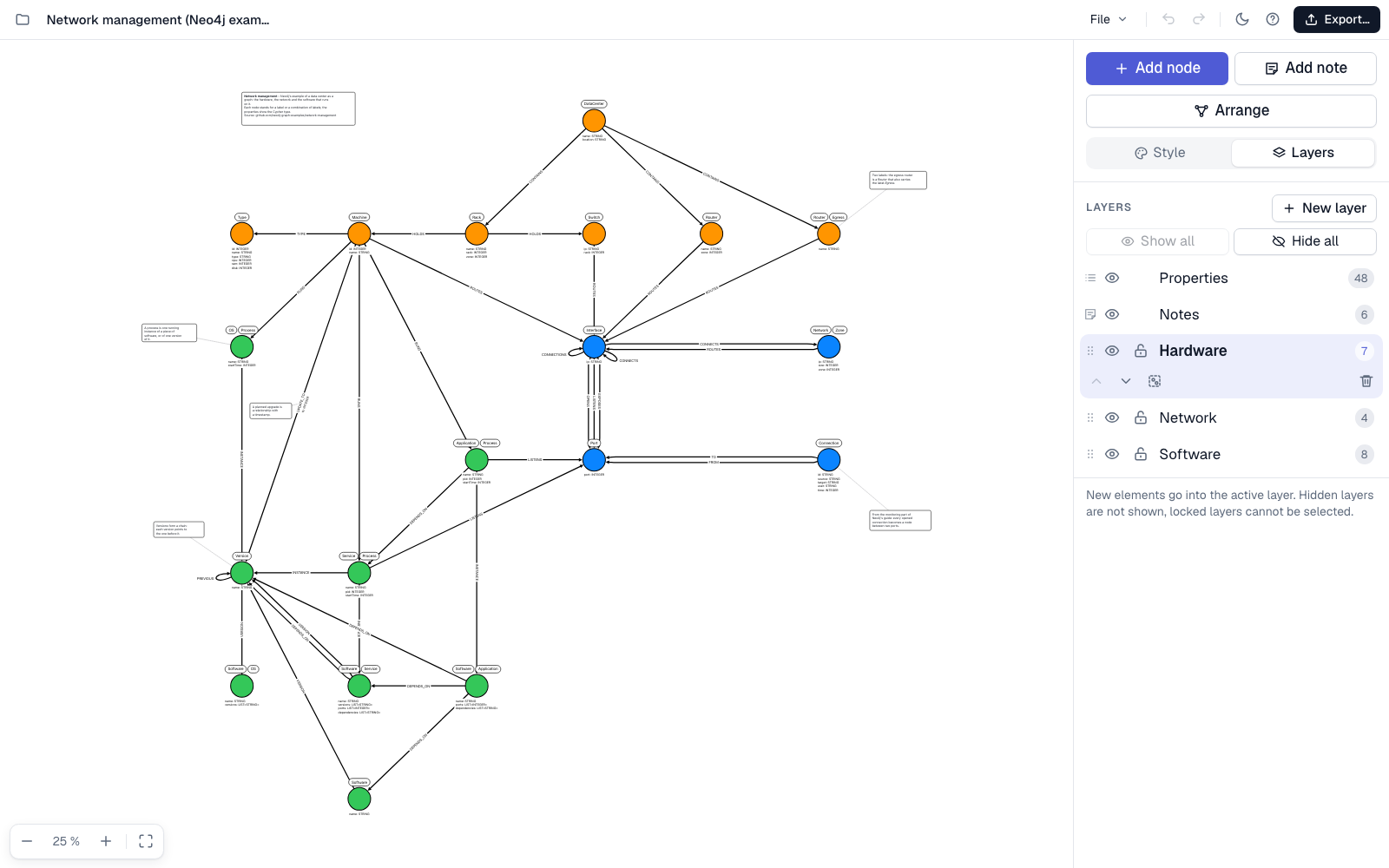
What you can do
- Draw the model. Add nodes, drag relationships between them, and give them labels, types and properties. Every property has a key, a format (for example its type) and an example value.
- Work in layers. Put nodes in layers as in an image editor, and show, hide, lock and reorder them. One switch shows or hides all property texts.
- Add notes. Write notes with bold and italic text and attach them to a node or relationship; they follow along when the graph is rearranged.
- Arrange with one click. Grapht places the nodes so that as few relationships as possible cross each other.
-
Export. Cypher
CREATEstatements for Neo4j, JSON, SVG and PNG, optionally with the visible layers only. - Import and merge. Open a model by pasting its JSON or choosing a file, or add an imported model to the open one: nodes with the same labels are merged, and you choose what to keep where the two differ.
- Style it. Colors, sizes, border widths and text sizes, for one element or the whole model, in a light or dark theme.
- Keep your models to yourself. Models are saved automatically in your own browser and as JSON files. Nothing is sent to a server.
Try it with an example
Open Neo4j's network management example as a graph model: a data center with its hardware, network and software, in 19 nodes and 38 relationships of 17 types, with Cypher types on the properties, three layers and attached notes.
Questions and answers
What is Grapht?
Grapht is an online tool for drawing graph data models: nodes, relationships, labels and properties. It is made for Neo4j and other property graph databases and runs in the web browser at grapht.tools.
Does Grapht export Cypher for Neo4j?
Yes. A model is exported as Cypher CREATE statements for Neo4j, and also as JSON, SVG and PNG. The export can be limited to the visible layers.
Do I need an account or an installation?
No. Grapht opens directly in the browser. Models are saved automatically in your own browser and can be saved as JSON files.